The Verdict First: Yes, But Not for the Reason You Think
Architects should learn Grasshopper — not to become computational designers, but to automate the repetitive drawing and documentation work that quietly eats 20-30% of a typical project week. That's the honest answer. Not "yes, because parametric design is the future," not "yes, because it looks impressive in a portfolio." Yes, because it saves you time on the boring parts of the job you're already doing badly by hand.
Here's the thing nobody tells you when you're staring at a Grasshopper canvas for the first time, terrified: "parametric person" isn't a real category of architect. It's not a personality trait, like being a morning person or someone who actually enjoys client meetings. Grasshopper is a tool for eliminating repetitive manual work. That's it. The fact that it's also capable of generating swooping biomimetic facades is almost incidental to why most architects who use it well, use it.
This is where the failure mode kicks in. Architects see Grasshopper demo reels — spiky pavilions, algorithmically-generated cladding panels, renders that look like they were grown rather than designed — and conclude the tool isn't for them. Fair enough, if your practice does heritage refurbishments and small residential extensions. But in doing that, they miss the actual use case sitting under their nose: automated schedules, sheet setup, site analysis, option testing. The dull, repetitive stuff that makes up most of an architect's actual week.
This article splits the argument in two. "Parametric design" — expressive, form-driven, computational — is niche and genuinely optional. "Grasshopper as an automation tool" is useful for almost everyone, whether or not you have any interest in generative geometry. Estimates suggest Grasshopper is used in some capacity by more than 60% of large UK and US practices — and the majority of that use is site analysis and data-driven checking, not spiky renders.
What Grasshopper Actually Does (Without the Jargon)
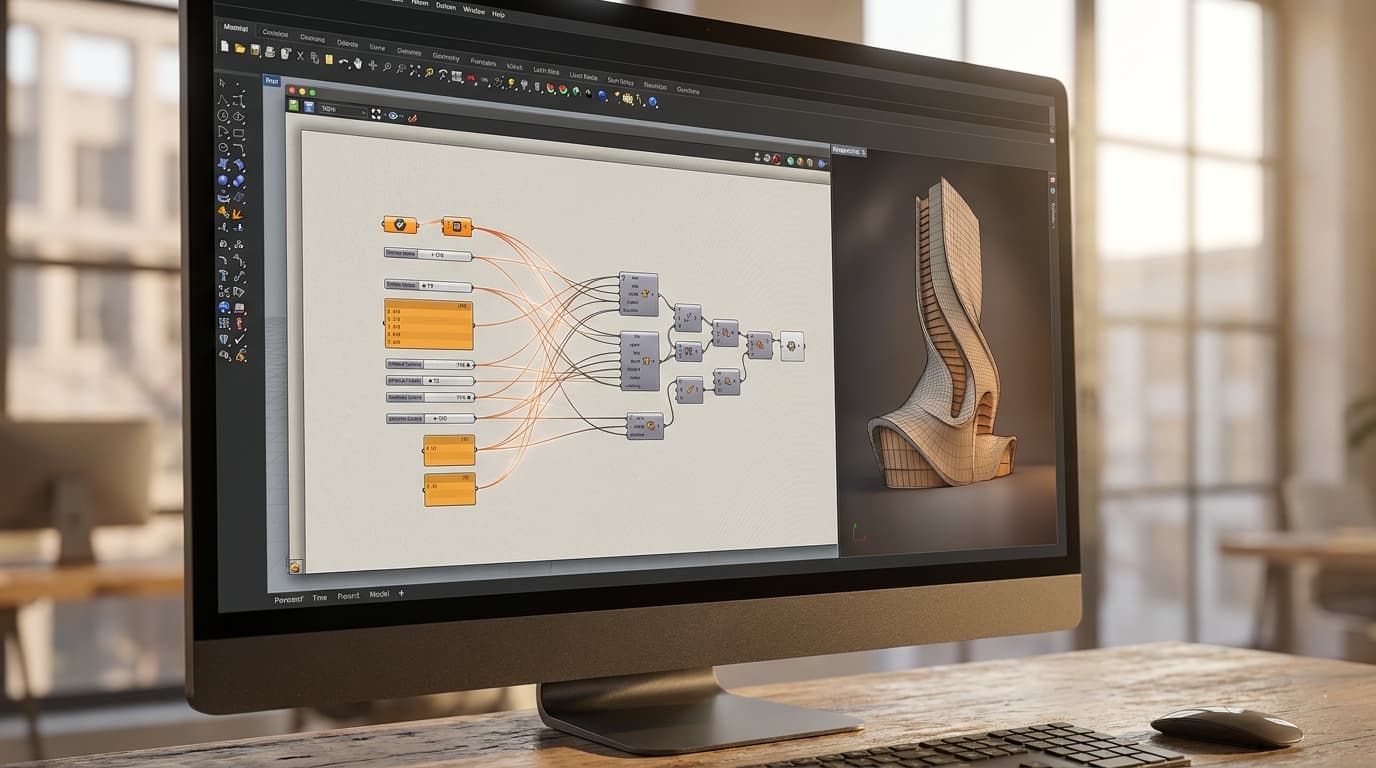
Grasshopper is a visual programming plugin built into Rhino 3D that lets architects build automated, rule-based workflows using nodes instead of written code. You connect boxes with wires. Change an input, the output updates. No typing semicolons, no debugging syntax errors at 11pm.
Nodes, Not Code
Think about a window-spacing script. You've got a wall, and you need windows placed at regular intervals along it, sized proportionally to the wall length, with a minimum gap from the corners. Manually, that's measuring, placing, checking, adjusting, repeating — every time the wall length changes, which on a live project is roughly every second day. In Grasshopper, you build that logic once: input the wall curve, define spacing rules, output windows. Change the wall length and the windows redistribute themselves instantly. You built a rulebook, not a drawing.
The Rhino Relationship
Grasshopper doesn't work standalone — it lives inside Rhino, feeding geometry back into the Rhino viewport in real time. If you haven't used Rhino at all, that's genuinely the bigger hurdle; Grasshopper assumes you're already comfortable moving around 3D space. Worth doing the Rhino beginner course first if that's a gap.
And to kill the recurring myth: you don't need a maths background. Roughly 80% of practical Grasshopper work in an architecture office uses basic arithmetic and conditional logic — if this, then that — not calculus. If you can build an Excel formula, you can learn Grasshopper.
The Jobs Grasshopper Actually Saves You From
The three highest-value non-parametric uses of Grasshopper are site and solar analysis, automated documentation — door and window schedules, sheet numbering — and rapid option testing for massing or unit layouts. None of these require any interest in parametric design as an aesthetic. All three are things you're doing manually right now, badly, on a Friday afternoon.
Site Analysis on Autopilot
Sun path studies, overshadowing diagrams, view corridor analysis — these are exactly the sort of task that's tedious to do by hand and trivially automatable once set up. Build the script once, and it works for the next site too, with different geometry, different orientation, same script.
The Boring Stuff: Schedules, Sheets, Numbering
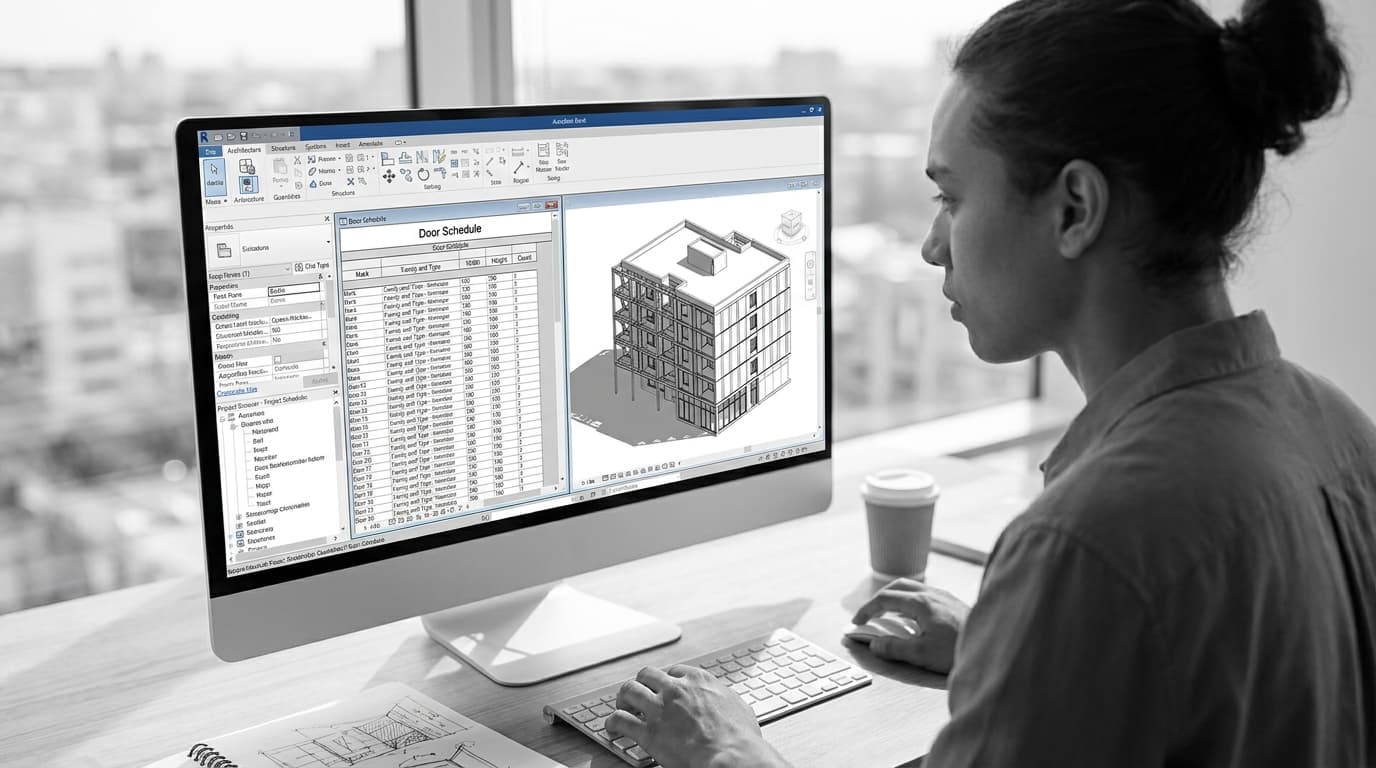
Door and window schedules. Room numbering. GIA and NIA calculations that need re-running every time the plan shifts by half a metre. Cladding panel counts that need rationalising against a standard sheet size. None of this is glamorous. All of it is currently costing junior architects hours of their week doing arithmetic that a computer does instantly and without transcription errors.
Options, Not Masterpieces
Here's the before/after that should convert the sceptical reader. Manually testing 10 massing options for a feasibility study takes most of a day — model, screenshot, note the GIA, repeat. A well-built Grasshopper script can generate and evaluate 50 massing options in roughly the time it takes to model two or three by hand. That's not a marginal improvement. That's the difference between showing a client three options and showing them a proper spread of the design space, with actual numbers attached to each.
This is the section that should land for the sceptic. Most Grasshopper time in a working practice isn't spent on spectacle geometry. It's spent on exactly the tasks listed above — quietly, unglamorously, and repeatedly, project after project.
Where Grasshopper Genuinely Isn't Worth It
Grasshopper offers the least return for architects working exclusively on small-scale residential extensions or heritage refurbishment, where there's minimal repetitive geometry and few data-driven decisions to automate. If every project is a one-off loft conversion with no repeating elements, the tool has nothing to grab onto.
Small Practices, Small Projects
Be honest with yourself about the maths here. Reaching basic working competency in Grasshopper takes 20-40 hours of practice — more if you want to be genuinely fast rather than just functional. If your projects don't have repeating geometry, schedules with dozens of line items, or site analysis requirements, that investment doesn't pay back quickly. A one-off extension with four windows doesn't need a parametric window-spacing script. You'll model it by hand faster than you'd build the logic.
The Sunk Cost of a Beautiful Script Nobody Else Can Open
The real risk in practice isn't wasted learning time — it's technical debt. A brilliantly elegant script that only its author understands becomes a liability the moment that person goes on holiday, changes jobs, or simply forgets how it works six months later. I've seen offices grind to a halt because the one person who understood the facade rationalisation script left the practice mid-project. Efficiency gains that depend on one irreplaceable person aren't efficiency gains — they're a ticking clock.
If you're going to build scripts that other people rely on, document them, name your groups sensibly, and keep them simpler than you're capable of. Impressive isn't the goal. Maintainable is.
Grasshopper vs. Dynamo vs. Just Doing It by Hand
Grasshopper is the best visual scripting tool for Rhino-based practices handling early-stage design, facade rationalisation, and site analysis. Dynamo is the better choice for BIM managers already committed to Revit who need parametric family automation and model quality checks. Manual modelling remains the right call for one-off, non-repetitive geometry where the scripting overhead outweighs the time saved.
Tool
Host Software
Learning Curve
Best Use Case
Typical Cost
ToolGrasshopper
Host SoftwareRhino
Learning CurveModerate (20-40 hrs to competency)
Best Use CaseSite analysis, facade rationalisation, massing options
Typical CostIncluded with Rhino licence (~£850 one-off)
ToolDynamo
Host SoftwareRevit
Learning CurveModerate-High
Best Use CaseFamily automation, model QA, BIM coordination
Typical CostFree with Revit
ToolManual workflow
Host SoftwareAny
Learning CurveNone additional
Best Use CaseOne-off geometry, small residential, heritage work
Typical Cost£0 (time cost only)
Same Job, Different Ecosystem
The two tools do overlapping jobs in different software. If your practice's early design work happens in Rhino, Grasshopper is the natural fit — it's built for free-form geometry and rationalising complex shapes into buildable components. If your BIM Manager's world is entirely Revit families, schedules, and model coordination, Dynamo speaks that language natively, and pairs well with skills from the Revit BIM Collaboration course. Plenty of mid-size practices now run both, depending on which software a given project actually lives in — there's no rule that says you have to pick a side.
When Manual Wins
Manual modelling wins when the geometry is genuinely one-off. If you're never going to repeat the logic, and there's nothing to rationalise or test in bulk, scripting is just adding a layer of abstraction over a job that would've taken ten minutes by hand. Know the difference, and you'll never waste an afternoon building a script for something you were only ever going to do once.
How to Learn Grasshopper Without Wasting Six Months
The fastest way to learn Grasshopper is to pick one recurring task from a live project — window scheduling, sun studies, panel counts — and build a script that solves it, rather than working through generic tutorials with no application to your actual work. Abstract exercises don't stick. A real deadline does.
Start With a Real Project Problem
Generic YouTube tutorials teach you syntax with no context, which means you forget it within a week because you've got nothing to hang it on. Pick something you're already doing manually. Build the script for that specific problem. You'll retain the logic because you actually needed it.
The Fastest Path From Zero to Useful
Fragmented free tutorials cost you time in a different way — hours spent hunting for the specific technique you need, scattered across inconsistent sources of wildly varying quality. A structured course gets you from zero to functionally useful far faster, because someone's already sequenced the learning for you.
For architects starting from genuinely zero scripting background, the complete guide to Grasshopper is built around exactly this — practice-relevant workflows, not abstract computational design theory. You're not learning to build a parametric pavilion. You're learning to build the tools you'll actually use on a Tuesday.
If you get stuck on script logic while learning — and you will, because debugging a tangle of wires is genuinely different from debugging written code — Corb, ArchAdemia's AI assistant, is worth having open in a second tab to troubleshoot in real time rather than losing an afternoon to a forum thread from 2019.
Should Architects Learn Grasshopper: The Short Answer
Yes — architects should learn Grasshopper for the automation value, not the aesthetic. The return comes from schedules, site analysis, and option testing, not from becoming a parametric designer. If your project type has zero repetition and zero data-driven decisions, the return shrinks considerably — but for most architects working on anything beyond single-house extensions, the maths works out within a handful of projects.
FAQ
Do architects need Grasshopper to get a job in 2026?
Grasshopper is not a strict requirement for most architecture roles in 2026, but it's increasingly listed as a preferred skill in job postings for practices doing complex facades, masterplanning, or BIM-heavy work. Having it on your CV puts you ahead of candidates with identical Revit or Rhino skills but no scripting capability.
How long does it take to learn Grasshopper?
Most architects reach basic working competency in Grasshopper after 20-40 hours of focused practice, according to common training benchmarks. Becoming genuinely fast and confident building complex scripts typically takes several months of regular, applied use on real projects.
Is Grasshopper only for parametric facade design?
No — parametric facade design is one of Grasshopper's most visible uses but far from its most common one. The majority of practical Grasshopper use in architecture practice is site analysis, automated scheduling, and massing option testing, not decorative geometry.
Do I need to know Rhino before learning Grasshopper?
Yes, basic Rhino competency is expected before starting Grasshopper, since Grasshopper generates and manipulates geometry directly inside the Rhino viewport. Architects with no Rhino experience should start with a Rhino fundamentals course before attempting Grasshopper.
Is Grasshopper or Dynamo better for architects?
Grasshopper is better for architects working primarily in Rhino on early-stage design, facade rationalisation, and site analysis. Dynamo is better for architects and BIM managers working primarily in Revit who need family automation and model quality checks.
Does Grasshopper require coding skills?
No, Grasshopper does not require traditional coding skills for most architectural applications. It uses a visual node-and-wire interface, and roughly 80% of practical use cases rely on basic arithmetic and conditional logic rather than programming syntax.
Is it worth learning Grasshopper for small residential practices?
Grasshopper offers limited return for architects working exclusively on small residential extensions or heritage refurbishment with minimal repetitive geometry. The 20-40 hour learning investment pays back fastest on projects involving repeated elements, schedules, or site data analysis.
Grasshopper isn't a personality you either have or don't. It's a set of hours you either save or lose, project after project, for the rest of your career. Learn it for the schedules, the site analysis, and the massing options you'll never model by hand again — the spiky facades can stay someone else's problem.