Pick the wrong real-time renderer and you're not just looking at a bad render — you're looking at a broken workflow, a wasted licence, and a mid-project re-learn that nobody has time for. Enscape, Lumion, and Twinmotion are all genuinely excellent tools. The question has never been which one is best. The question is which one is best for you.
Here's the short version: Enscape is the best real-time renderer for architects already working in Revit or SketchUp who need fast, integrated visualisation without switching applications.Lumion is the best choice for architects who prioritise speed of scene-building and presentation-ready output over deep BIM integration.Twinmotion is the best free-to-start renderer for architecture students and small practices, with a perpetual free tier and Unreal Engine 5 underpinning its visual quality.
The longer version involves pricing, GPU requirements, workflow fit, and the specific demands of five different architectural roles — student, junior architect, archviz artist, BIM manager, and project-running architect. That's what this article maps out.
What You're Actually Comparing (And What Doesn't Matter)
All three tools — Enscape, Lumion, and Twinmotion — are real-time renderers, meaning they generate images and walkthroughs interactively rather than via overnight batch processing. But their workflow integration models are fundamentally different, and that distinction matters far more than render quality comparisons.
Real-time vs offline rendering — why this distinction matters in 2026
Real-time rendering means the image updates as you move through the scene. You're not waiting for a render to complete — you're navigating a live environment. In 2026, the gap between real-time and offline quality has narrowed dramatically. For most architectural presentations, planning submissions, and competition boards, real-time output is more than sufficient. The days of needing a V-Ray overnight batch for a decent client image are largely over.
What this article won't cover: offline renderers like V-Ray CPU mode, Chaos Cloud batch rendering, or Enscape's own offline export feature. Those are different conversations for different workflows.
The three workflows: plugin-based, standalone, and hybrid
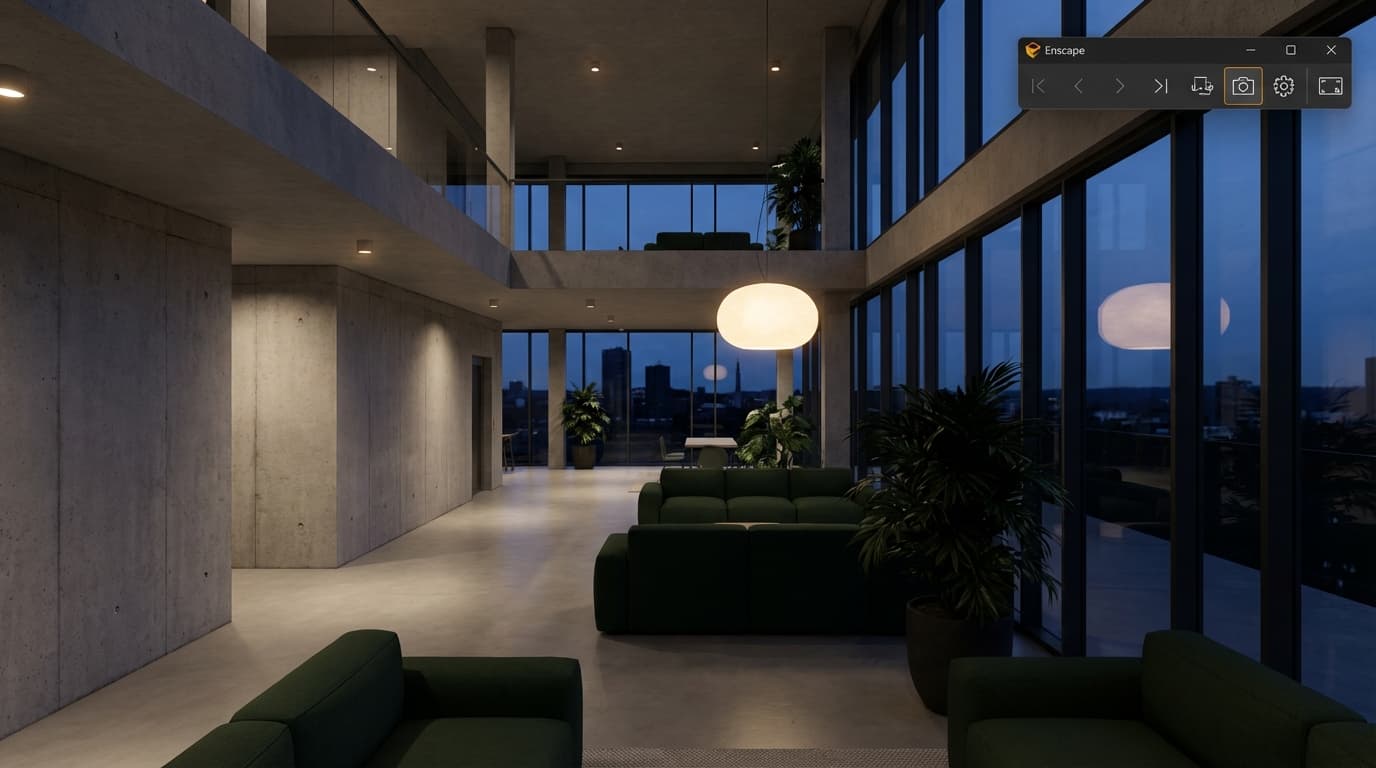
Enscape runs as a plugin inside Revit, SketchUp, Rhino, ArchiCAD, and Vectorworks. The model never leaves the host application. Change something in Revit, and Enscape updates in real time. There is no export step.
Lumion is a standalone application. You build your model in your CAD or BIM tool, export it, and then rebuild the scene inside Lumion's own environment. The workflow is deliberately separated.
Twinmotion sits between the two. It has direct-link plugins for Revit and ArchiCAD that behave similarly to Enscape's live sync, but it also accepts imported geometry from almost any source. Hybrid is the right word.
GPU matters across all three. A minimum of 8GB GPU VRAM is required to run all three tools reliably; 16GB is recommended for Lumion and Twinmotion scenes with heavy vegetation and weather effects. An RTX 3070 is a reasonable floor for comfortable use. An RTX 4080 or better is where all three start to sing.
Pricing in 2026: What You'll Actually Pay
In 2026, Enscape costs from approximately £699/year for a fixed-seat licence, Lumion Pro costs approximately £1,499/year, and Twinmotion offers a free tier with a paid Pro licence at approximately £399/year. That spread is significant, and it should factor into your decision before you even open a browser tab.
Enscape pricing
Enscape operates on a fixed-seat or floating licence model. Fixed-seat ties the licence to one machine — fine for a sole practitioner or a dedicated workstation. Floating licences allow a team to share a pool of licences, which is more flexible but considerably more expensive. For a small practice buying a single fixed-seat licence, approximately £699/year is the entry point. Educational pricing is available at a discount, though it's not free.
Enscape's fixed-seat licence costs approximately £699/year in 2026 and is the only option of the three that runs natively inside Revit without requiring a separate application.
One thing worth factoring in: Enscape's total cost of ownership is lower than it appears on paper, because it runs inside your existing BIM application. You're not buying a second workstation or upgrading hardware specifically for it.
Lumion pricing
Lumion operates on a tiered model — Standard and Pro. For professional architectural output — full material library, 360 panoramas, the complete effects stack — you need Pro. That's approximately £1,499/year in 2026. Standard is cheaper but limited in ways that will frustrate you within a week of serious use.
Lumion Pro costs approximately £1,499/year in 2026, making it the most expensive of the three but also the fastest for producing polished, presentation-ready visuals from scratch.
The hidden cost with Lumion is hardware. Because it's a standalone application doing heavy scene work, you essentially need a dedicated, powerful workstation to run it well. If you're already on a capable machine, that's not a problem. If you're buying hardware specifically to run Lumion, factor that into the real cost.
Twinmotion pricing
Twinmotion is the most affordable real-time renderer for architects in 2026, with a genuinely functional free tier and a Pro licence starting at approximately £399/year. Epic Games subsidises this through the Unreal Engine ecosystem — Twinmotion is, in part, a funnel into the broader Unreal Engine world, and the pricing reflects that strategy.
Crucially, the free tier is not crippled. No watermark. No time limit. Full feature access for projects below a revenue threshold. For students and early-career architects, this is the most important sentence in this entire article.
Feature
Enscape
Lumion Pro
Twinmotion
FeatureAnnual cost (approx.)
Enscape£699
Lumion Pro£1,499
TwinmotionFree / £399 Pro
FeatureFree tier
EnscapeNo
Lumion ProNo
TwinmotionYes (no watermark)
FeatureStudent pricing
EnscapeDiscounted
Lumion ProDiscounted
TwinmotionFree
Comparison Table: Enscape vs Lumion vs Twinmotion at a Glance
Enscape integrates directly with Revit, SketchUp, Rhino, ArchiCAD, and Vectorworks; Lumion and Twinmotion require model export or a separate direct-link plugin.
Enscape is the best real-time renderer for BIM-heavy practices in 2026 because it updates renders live as you model in Revit — no export, no scene rebuild, no version mismatch. That sounds like a small thing until you're three hours from a client presentation and the scheme has just changed.
Where Enscape wins
The live sync is the headline, but the real win is the iteration speed it enables. You can be mid-design-development, sketching in Revit, and have a client-presentable view updating in real time on a second monitor. That's not a rendering workflow — that's a design tool. For practices where design development and client communication overlap (which is most practices), this is genuinely transformative.
The learning curve is the gentlest of the three. If you're already fluent in Revit, you can produce a credible Enscape render within an hour of opening it for the first time. The interface doesn't fight you. It doesn't ask you to think like a game developer or a VFX artist. It asks you to think like an architect, which is exactly what you are.
The standalone EXE export is underrated. Enscape's standalone EXE export allows clients to walk through a 3D model without installing any software — a significant advantage for client presentations. You email a file. The client double-clicks it. They walk around the building. No plugins, no accounts, no "can you just share your screen instead." That matters.
If you want to get production-ready with Enscape quickly, ArchAdemia's Enscape Complete Guide covers everything from material setup to walkthrough export in a structured, practice-focused format. There's also a dedicated Enscape & Revit course if your workflow is specifically BIM-centred.
Where Enscape falls short
The material and asset library is noticeably smaller than Lumion's. Vegetation, in particular, is an area where Enscape trails — the trees and planting look fine for design development but rarely pass for competition-quality output. If your project is a masterplan with extensive landscaping, you'll feel the limitation.
Animation tools are basic. Enscape does walkthroughs well. It does cinematic sequences poorly. If you need camera path animation, dynamic weather transitions, or anything that looks like it belongs in a competition film, you'll be fighting the tool.
No standalone mode means you must own and run the host application. Enscape without Revit — or SketchUp, or Rhino — is nothing. If your practice is transitioning platforms or working across multiple applications, this creates friction.
Best for: Junior architects and BIM managers working in Revit-heavy practices where design iteration speed matters more than cinematic output.
Lumion: When the Render Has to Look Stunning by Friday
Lumion is the fastest tool for producing competition-quality architectural visualisations in 2026, with a library of over 6,500 objects and one-click weather, lighting, and atmosphere effects. If you have a planning submission due, a competition board to finish, or a client presentation that needs to look like it came from a dedicated archviz studio — Lumion is where you go.
Where Lumion wins
The content library is the obvious win. Lumion has the largest content library of the three major real-time renderers in 2026, with over 6,500 objects, materials, and atmospheric effects available in Lumion Pro. Trees, people, cars, furniture, rain, fog, golden-hour lighting — it's all there, one click away, and it all looks good. You're not spending half a day sourcing assets from external libraries. You're spending that half day making the image better.
The atmosphere and weather system is genuinely unmatched. Drop a rain effect onto a night scene, add some wet road reflections, set the sun to 5pm in January — you can do all of that in under two minutes. Lumion is the best real-time renderer for competition submissions and planning visuals in 2026 because its atmosphere and weather tools produce presentation-ready results faster than any comparable tool.
Movie-quality animation is achievable without deep technical knowledge. Lumion's animation workflow is designed for architects, not film-makers. You don't need to understand keyframe curves or motion blur settings to produce something that looks cinematic. The tool does the heavy lifting.
For architects without dedicated archviz staff — which is most practices — Lumion is the fastest path from an imported model to a client-ready image.
Where Lumion falls short
The standalone application model is a genuine constraint. Every time the model changes in Revit or SketchUp, you're re-exporting and re-importing. For projects in active design development, this creates a version management headache. The scene you spent three hours building in Lumion is now slightly wrong, and you have to decide whether to rebuild it or present something outdated.
It is the most expensive of the three. At approximately £1,499/year for Pro, you need to be using it regularly to justify the spend. For a practice that produces one or two major competition submissions a year, the maths might not work. For a practice that renders constantly, it absolutely does.
Lumion scene files are not easily portable. The scene is tied to the Lumion installation, which creates problems when collaborating across offices or handing work between team members.
ArchAdemia covers Lumion in depth — both the Lumion course for core workflow and the Lumion Raytracing course for the advanced rendering techniques that separate good output from great output.
Best for: Archviz artists and project-running architects who need to produce polished competition and planning submissions quickly, and who can justify the licence cost through regular use.
Twinmotion: The Dark Horse That Keeps Getting Better
Twinmotion is the best real-time renderer for architecture students and small practices in 2026 — it is free to use, backed by Unreal Engine 5, and produces results that rival paid tools when set up correctly. The "when set up correctly" is doing real work in that sentence. The ceiling is the highest of the three. Getting there takes more effort.
Where Twinmotion wins
The free tier is the most generous in the market. No watermark, no time limit, full feature access for projects under a revenue threshold. This isn't a trial. It's a fully functional professional tool at zero cost. Twinmotion's free tier has no watermark and no time limit, making it the only professional-grade real-time renderer architects can use commercially at zero cost in 2026.
Twinmotion uses Unreal Engine 5's Lumen global illumination system, giving it the highest visual quality ceiling of the three major real-time renderers available to architects in 2026. Lumen handles indirect lighting dynamically — bounced light, ambient occlusion, subtle colour bleed — in a way that makes scenes feel physically real rather than digitally constructed. Path tracing mode for still images pushes this further still, producing output that genuinely rivals offline renderers.
The direct-link ecosystem is growing. Revit, ArchiCAD, SketchUp, and Rhino all have direct-link connections that allow live model sync similar to Enscape. It's not quite as seamless as Enscape's native plugin integration, but it's getting closer with each update.
ArchAdemia has both a Twinmotion Beginner course and a Twinmotion Advanced course for those ready to push into cinematic territory. If you're starting from scratch, the beginner course gets you to a usable standard faster than working through Epic's own documentation.
Where Twinmotion falls short
The learning curve is the steepest of the three. The UI logic comes from game development, not architecture. Concepts like world origin, lighting channels, and asset streaming are not intuitive if your background is Revit and SketchUp. You will spend time being confused. That's not a criticism — it's a fair warning.
Large scene file sizes are a practical problem. Complex urban scenes can exceed 10GB. If you're working on a laptop with a 512GB SSD, that adds up fast.
BIM data handling is less mature than Enscape. IFC import can be unpredictable — materials don't always translate correctly, and object hierarchies sometimes arrive in a state that requires manual cleanup. This is improving, but it's not solved.
Best for: Students, freelancers, and small practices who want the highest possible visual quality without the annual licence cost, and who are willing to invest time in learning a more complex tool.
Which One Should You Actually Use? A Role-by-Role Verdict
The right renderer depends on your role, your budget, and your workflow — not on which tool has the most impressive demo reel. Here's the verdict, role by role.
Architecture students
Use Twinmotion. It's free, it produces genuinely impressive output, and the skills transfer directly to Unreal Engine if you want to move into archviz or interactive presentations later. The learning curve is worth the investment at this stage. Enscape and Lumion both offer student pricing, but there's no reason to spend money when Twinmotion's free tier is this capable.
Junior architects
Use Enscape. You're working in Revit. Your practice has a Revit workflow. Enscape slots into that workflow without friction and lets you produce client-presentable visuals without leaving the application you're already in. At approximately £699/year, it's a justifiable tool cost for a practice to absorb. The Enscape & Revit course on ArchAdemia will get you from zero to production-ready in a weekend.
Archviz artists
Use Lumion, or go deeper into Twinmotion. If your job is producing competition boards and planning visuals at speed, Lumion's content library and atmosphere tools are worth the £1,499/year. If you're building cinematic sequences and want the highest visual quality ceiling, Twinmotion with Unreal Engine 5's path tracing is where the craft goes. Many serious archviz artists use both — Lumion for fast turnaround, Twinmotion for hero shots.
BIM managers
Use Enscape. The live BIM sync is the entire argument. You're managing large Revit models with linked files, federated structures, and regular design changes. Enscape's ability to reflect those changes instantly — without an export-rebuild cycle — is worth more than any content library. If you want to formalise your Enscape setup, the Revit BIM Collaboration course pairs well with the Enscape workflow.
Project-running architects
It depends on your output type. If you're running design-stage projects with regular client presentations, Enscape's iteration speed wins. If you're regularly producing competition submissions, planning applications, or marketing visuals, Lumion's output quality and speed justify the cost. Many project-running architects end up with both — Enscape for design development, Lumion for final presentation output.
The Bottom Line
There is no universally best renderer. There is only the right renderer for your workflow, your budget, and the output you need to produce.
Enscape wins on workflow integration. Lumion wins on output speed and visual polish. Twinmotion wins on value and visual ceiling.
If you're a student or early-career architect: start with Twinmotion, pay nothing, learn the fundamentals. If you're in a Revit-heavy practice: Enscape will save you more time than any other tool at its price point. If you're producing competition and planning visuals regularly: Lumion's library and atmosphere tools will pay for themselves in hours saved.
And if you're ready to get properly set up with Enscape — not just watching YouTube tutorials but learning the full workflow from material assignment to walkthrough export — ArchAdemia's Complete Guide to Enscape is the most structured way to do it. Over 4,000 architects and designers use ArchAdemia's courses. The Enscape course is one of the most-used on the platform for good reason.
Pick the tool that fits your workflow. Then learn it properly.
FAQ: Enscape vs Lumion vs Twinmotion
Which is better, Enscape or Lumion?
Enscape is better for architects working in Revit or SketchUp who need live BIM sync and fast design iteration. Lumion is better for producing polished, competition-quality visuals quickly from an imported model. The right choice depends entirely on whether workflow integration or output quality is your priority.
Is Twinmotion really free?
Yes. Twinmotion's free tier has no watermark, no time limit, and no feature restrictions for projects below a revenue threshold. It is the only professional-grade real-time renderer available to architects at zero cost in 2026. The paid Pro licence adds cloud rendering and additional features at approximately £399/year.
Can Enscape replace V-Ray?
For most architectural presentation work — client visuals, design development, planning submissions — Enscape produces sufficient quality faster than V-Ray. For photorealistic product rendering, complex material studies, or output where physical accuracy is critical, V-Ray remains the stronger tool. They serve different purposes rather than directly competing.
What GPU do I need for real-time rendering?
A minimum of 8GB GPU VRAM is required to run Enscape, Lumion, and Twinmotion reliably. For Lumion and Twinmotion with complex scenes, vegetation, and weather effects, 16GB VRAM is recommended. An NVIDIA RTX 3070 is a reasonable minimum; an RTX 4080 or better is where all three tools perform comfortably.
Does Lumion work with Revit?
Lumion does not offer native live-sync with Revit. Models must be exported from Revit and imported into Lumion's standalone environment. Lumion does have a LiveSync plugin that provides a basic real-time connection, but it is less seamless than Enscape's native Revit integration.
Which renderer is best for architecture students?
Twinmotion is the best renderer for architecture students in 2026. It is free to use with no restrictions on commercial use below a revenue threshold, produces output that rivals paid tools, and is backed by Unreal Engine 5's Lumen global illumination system. Both Enscape and Lumion offer student discounts, but Twinmotion's free tier makes them unnecessary for most students.
Can I use Twinmotion with Revit?
Yes. Twinmotion has a direct-link plugin for Revit that allows live model synchronisation, similar in concept to Enscape's integration. The connection is less mature than Enscape's native plugin but functional for most architectural workflows. Twinmotion also accepts IFC exports from Revit if the direct-link plugin is not used.
Is Lumion worth the cost for a small practice?
Lumion Pro at approximately £1,499/year is justifiable for practices that regularly produce competition submissions, planning visuals, or marketing imagery. For practices producing fewer than four or five major visualisation outputs per year, the cost is harder to justify — Twinmotion's free tier or Enscape at £699/year are more proportionate options.